Home›Use Cases›Fill Every Spot
For Organizers Who Hate Cancelling Games

One Player Short? Fill Every Spot.

Nothing kills a weekly game like a late dropout. Sports HQ can nudge members who haven't replied, send need-one-more alerts, and tell the next person on the waitlist when a spot opens — to help a ten-player game reach ten.
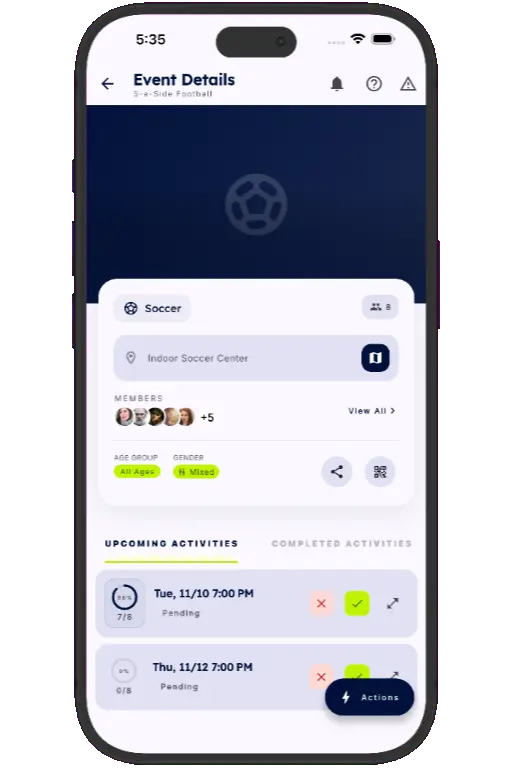
Sports HQ event details screen with upcoming sessions and confirm or decline buttons
🔔

This is for you if: you organize a weekly pickup soccer game, volleyball night, pickleball ladder or league team, and you keep scrambling to find a replacement an hour before kick-off.

Switch on alerts and let the app do the chasing

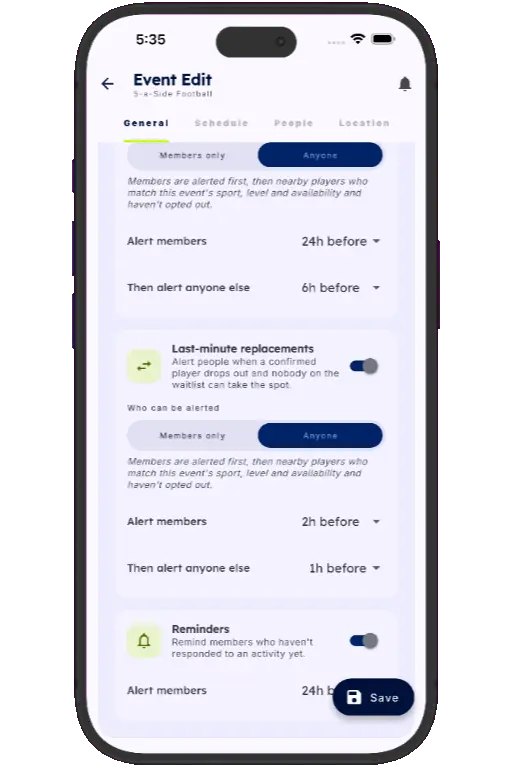
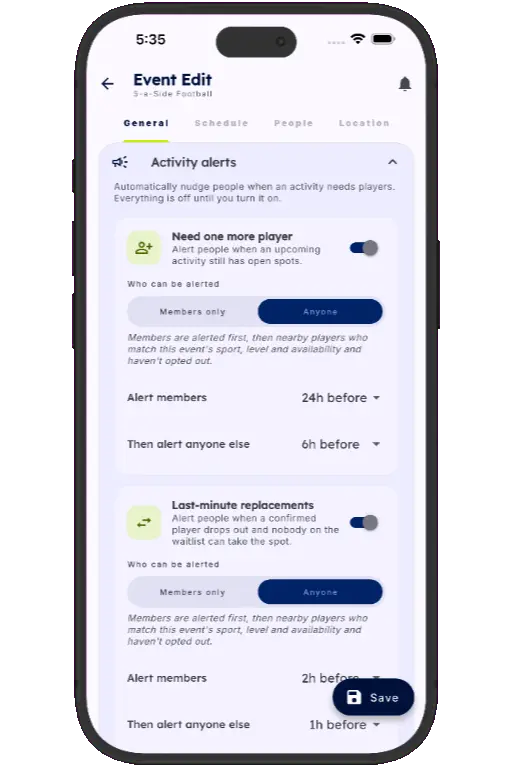
Turn on smart activity alerts for any event. Sports HQ sends need-one-more-player and last-minute replacement alerts, plus automatic reminders to members who haven't responded.

  • Need-one-more and last-minute replacement alerts
  • Automatic RSVP reminders for members who haven't replied
  • Players can opt out of alerts for events they're not in
Sports HQ activity members list showing confirmed and pending members with a Send Reminder button
Sports HQ screen for scheduling a session

Go beyond your group when you need to

Alert your own members only, or reach nearby players who match the sport, level and availability you need. Fill the gap with someone who actually wants to play.

  1. 1
    Choose who to alert

    Your members only, or nearby players who match.

  2. 2
    Matching players are notified

    Sport, skill level and availability are taken into account.

  3. 3
    Confirm with a tap

    The spot is filled and the headcount updates live.

Back-ups ready, and a clearer view of who shows up

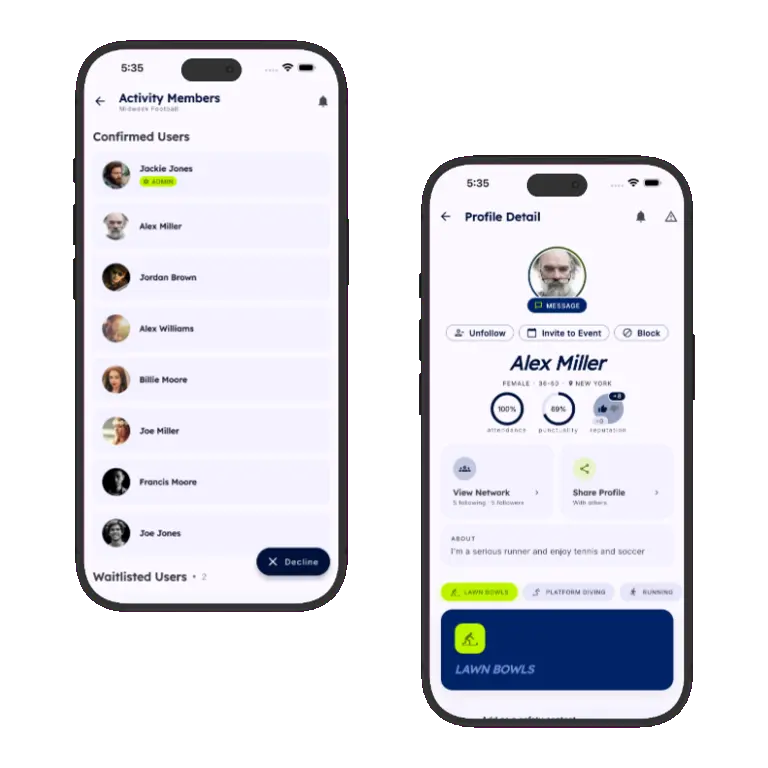
When a confirmed player drops out, the next person on the waitlist is notified. Teammate ratings and attendance tracking show who reliably turns up, so you know who to count on.

  • Waitlists notify the next player when a spot opens
  • Attended / no-show tracking at check-in
  • Reliability, punctuality and friendliness on player profiles
Sports HQ event details, recurring schedule and QR code join screens

Questions about filling a game

How do I find a replacement player at short notice?

Switch on smart activity alerts for your event. Sports HQ can send need-one-more-player and last-minute replacement alerts to your members, or to nearby players who match your sport, level and availability.

Can Sports HQ remind people who haven't RSVP'd?

Yes. Automatic reminders go to members who haven't responded to the RSVP, so you don't have to chase them yourself.

What happens when someone drops out?

If your event has a waitlist, the next person on it is notified as soon as a spot opens up.

Can players turn alerts off?

Yes. Players can opt out of alerts for events they're not part of.

How do I reduce no-shows?

Mark who attended and who didn't at check-in, and let teammates rate each other's reliability and punctuality. Over time, each player's profile shows who reliably turns up, so you know who to count on for your roster. Reminders and waitlists then cover the gaps.

How do I find a sub for my league or team?

Send a need-one-more alert to your own members first, or widen it to nearby players who match your sport, skill level and availability. The first to confirm takes the spot, and the headcount updates live.

Which sports does this work for?

Any of the 60+ sports on Sports HQ, including soccer, basketball, volleyball, pickleball, padel, tennis, hockey, rugby and cricket. It works best for games with a set number of players.

Help every game reach its numbers.

Download Sports HQ for free and make filling spots easier.

Sports HQ login screen